MCP server
Let AI assistants make the chart.
The RenderChart MCP server lets Claude, ChatGPT, Claude Code and Cursor turn your numbers into a chart URL, so the reply shows the chart as an image. Included on Starter and Pro.

Connect it in three steps.
The server URL is the same for every assistant.
https://app.renderchart.com/mcpOpen it in a browser while signed in to see your own setup page, with your tokens and authorisations.
In Claude, open Customize, then Connectors.
Choose + and then Add custom connector. Paste the server URL and choose Add.
Claude sends you to RenderChart to sign in and approve. Works in Claude.ai and Claude Desktop.
On the web, open Settings, then Security and login, and turn on Developer mode.
Open Plugins, choose + and create an app for a remote MCP server with the server URL and OAuth.
Approve it when ChatGPT sends you to RenderChart. In a chat, choose +, then Developer mode, and pick the app.
Create a personal MCP token on the MCP page in the app. It is shown once.
Add the server from your terminal:
claude mcp add --transport http renderchart --scope user https://app.renderchart.com/mcp \
  --header "Authorization: Bearer rc_mcp_live_YOUR_TOKEN"
Leave out
--scope userto add it to the current project only.
Create a personal MCP token on the MCP page in the app.
Add this to
~/.cursor/mcp.jsonfor every project, or.cursor/mcp.jsonfor one:{ "mcpServers": { "renderchart": { "url": "https://app.renderchart.com/mcp", "headers": { "Authorization": "Bearer rc_mcp_live_YOUR_TOKEN" } } } }Cursor picks the server up on its next start.
What you get back.
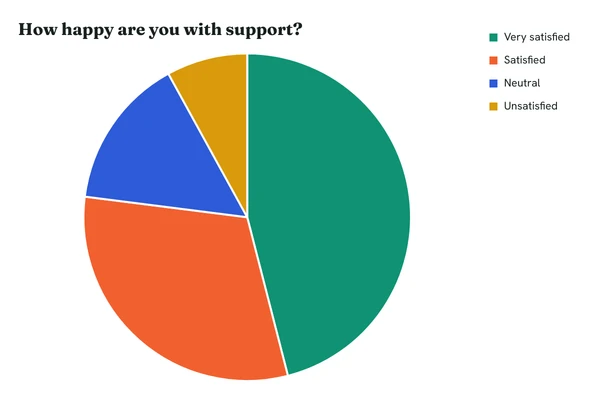
The assistant writes a chart URL from the data in the conversation and puts the image in its reply. You can copy the URL and use it anywhere else.
- Your account
- Charts are made with your key, so they count like any other render. Repeated charts come from cache.
- Plain URLs
- The result is an ordinary chart URL. Paste it into an email, a sheet or a README and it shows the same chart.
- Short URLs
- Ask for a short URL to hide your key and data. On Pro the assistant can update a short chart's data and the same URL shows the new chart.
- Plans
- MCP access comes with Starter and Pro, and needs a verified email address. Free accounts can still paste chart URLs into any assistant by hand.